Check-ins that speak only when something changed.
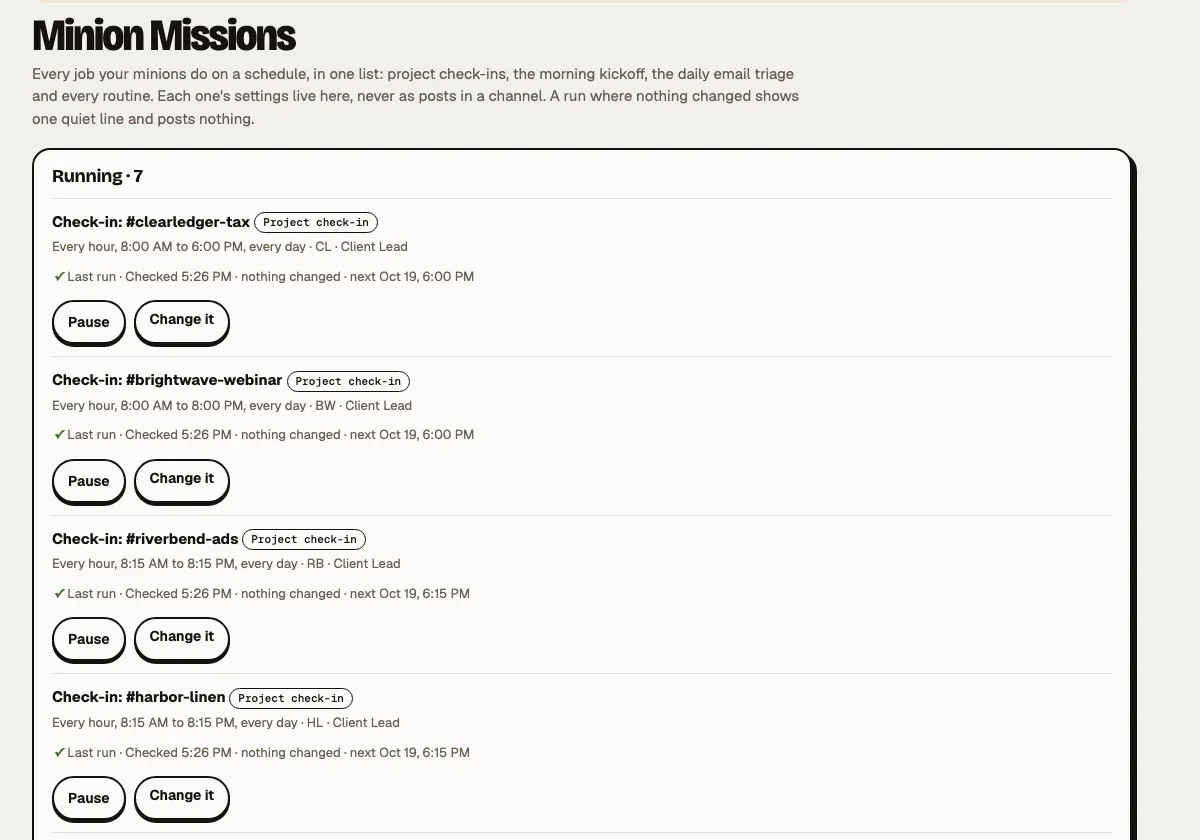
Scheduled work that doesn't bury your channels. Each mission reads where things stand, posts one short result when there's news, tags only the person who must act, and stays quiet when nothing moved.
"One change." Not a wall of updates.
Pick a project or client channel and a rhythm: every weekday at 9, hourly, or every hour from 8:15 to 5:15. The schedule and the rules are settings, never posts.
- Posts only when something changed, at the top of the channel, in a few bullets.
- Tags only who must act. "Dana owns this and nobody is tagged."
- Never repeats itself. "I won't raise these again unless something changes."
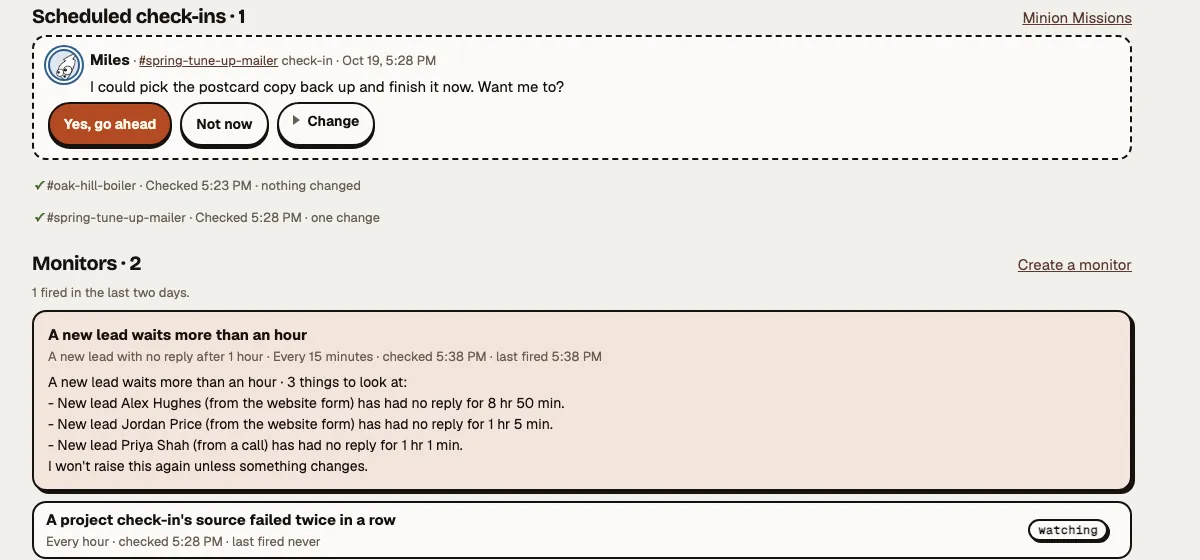
- Offers the next step. "I could push this forward. Want me to?" It waits in Minion Monitoring for Yes, Not now or Change.
- Read-only. A check-in never sends, changes or spends anything.

Your minionsCheck-in
1 change
- @Maya The new homepage draft is ready for your review.
Unchanged: logo options still with Lakeview. Launch still Nov 4.
ReplyYour minionsCheck-in
2 changes
- Lakeview picked logo option B.
- The spring-sale page is drafted. Wes owns it, so nobody is tagged.
Unchanged: homepage review is still with Maya (already raised).
Reply- 12:00 and 1:00 · no news, no post
Your minionsCheck-in
1 change
- @Dana The launch-day email is drafted and waits for your yes.
Unchanged: photos still due Friday. Everything else on track.
Reply
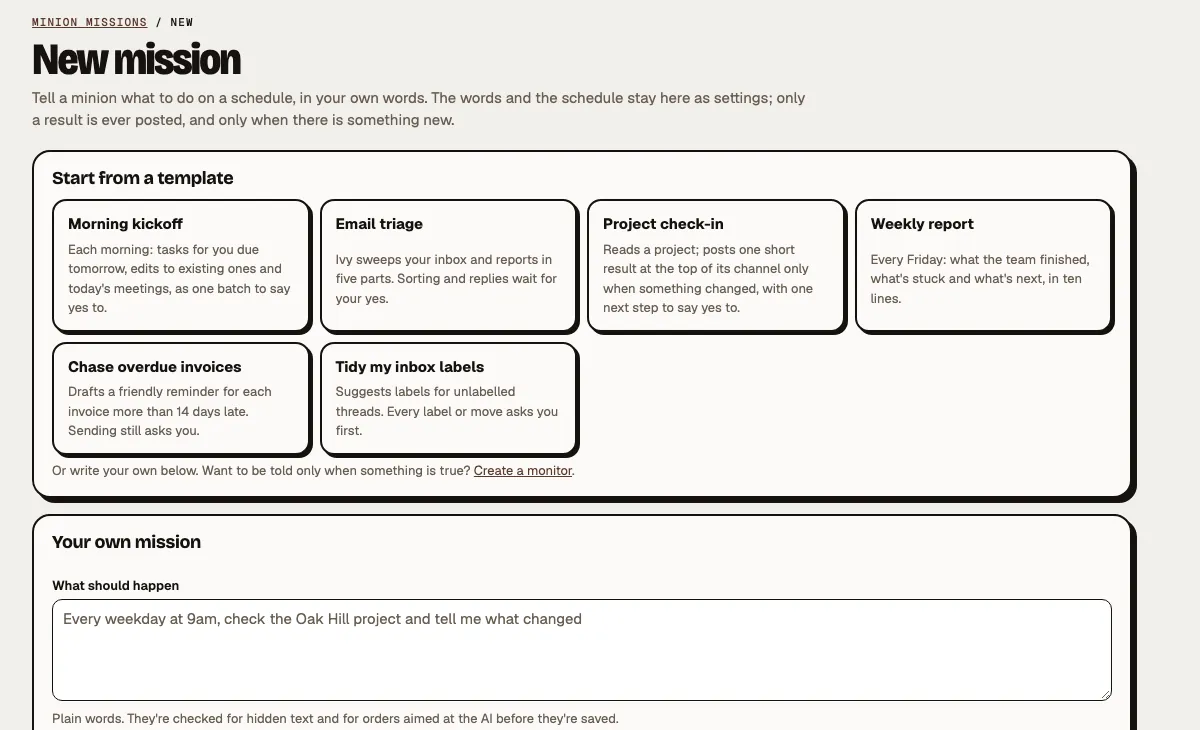
Describe the job. Pick when.
Write it in plain words, like "Every weekday at 9am, check the Oak Hill project and tell me what changed". Choose the minion, the time and where results go: the project channel, your Minion Monitoring only, or a message to you.
Start from a template
Morning kickoff, email triage, project check-in, weekly report, chase overdue invoices, or tidy my inbox labels.
Propose only, by default
It reads, then proposes. Every send, change or booking waits for a yes. "Do it and show me" is only for internal, read-only work.
Edit, pause, resume
Try it now and see its last run. Pause everyone stops every mission at once.
Private when it's yours
A team member's own missions are just for them, and their results never go to a channel.
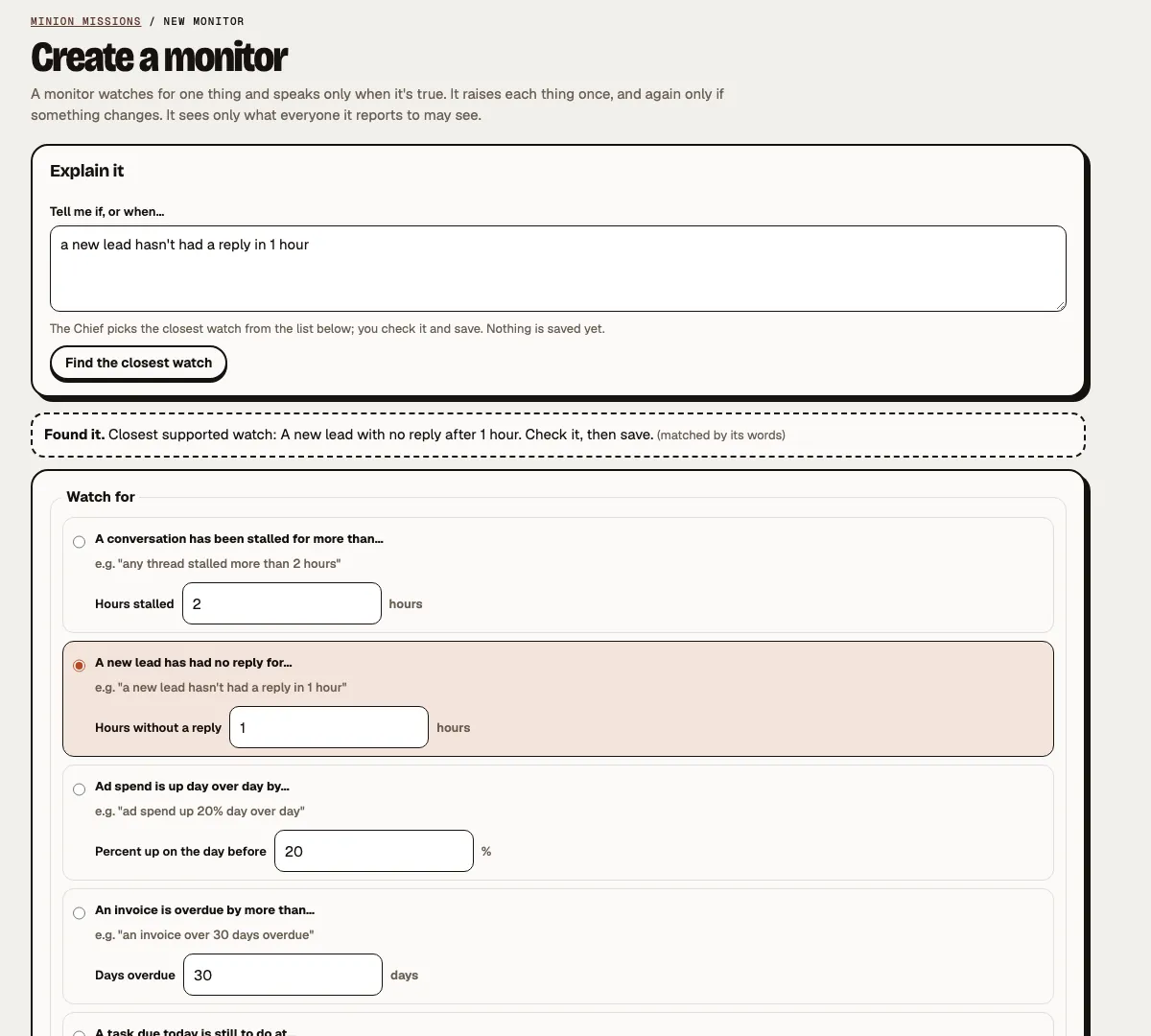
"Tell me when…" and only then.
A monitor watches for one thing and speaks only when it's true. Explain it in your own words; your minions pick the closest watch, and you check it before anything is saved.
- A thread stalled for more than a few hours
- A new lead with no reply after an hour
- Ad spend up 20% on the day before
- An invoice more than 30 days overdue
- A task due today still open at 3pm
- A customer who wrote twice with no answer
Each thing is raised once, and again only if it changes. A team monitor sees only what the whole team may see.
Lists that keep themselves up to date.
Type “customers who haven't paid in 30 days” and get a list that keeps itself up to date.
- In your own words. Say who or what to keep an eye on.
- Always current. People join and leave the list as things change.
- Yours to manage. Refresh a list, or remove it any time.
- Hendricks & Co.34 days
- Linden Yoga41 days
- Marlow Bakery32 days
Updated this morning. Paid ones drop off on their own.
What runs while you work.
- Every weekday
Morning kickoff
Tomorrow's tasks per project, with estimates and sources, as one batch to say yes to.
- Every weekday
Email triage
Ivy's report in five parts: your actions, unclear, FYI, potentially archive, checks. Labels and archiving ask first.
- Your rhythm
Project check-ins
One per project or client, quiet when nothing changed.
- Every 15 min to 4 hours
Monitors
One watch each, speaking once when it's true.
See it all move in Minion Monitoring Meetings that turn into done work
Hand your first job to a minion.
Tell us about your business, your goals and what you'd hand off first. We'll show you the team that would take the most off your plate.
Or request access to the live demo (sample data).