Minion HQ: one sign-in across every client workspace.
You coach several owners, or run their AI teams for them. Sign in once to Minion HQ, see what needs you in each workspace, and open any of them in one tap, signed in as yourself.
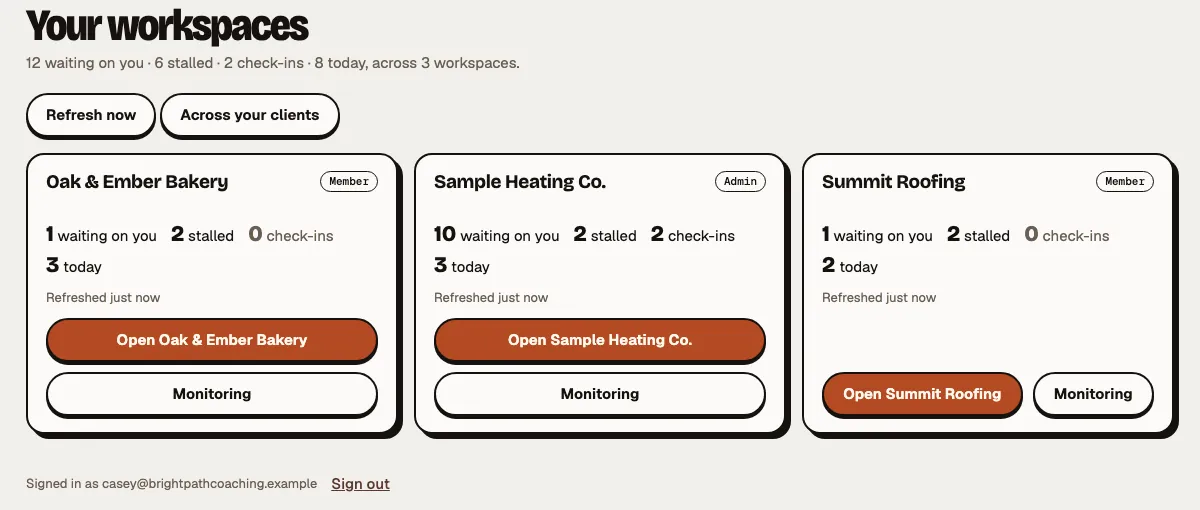
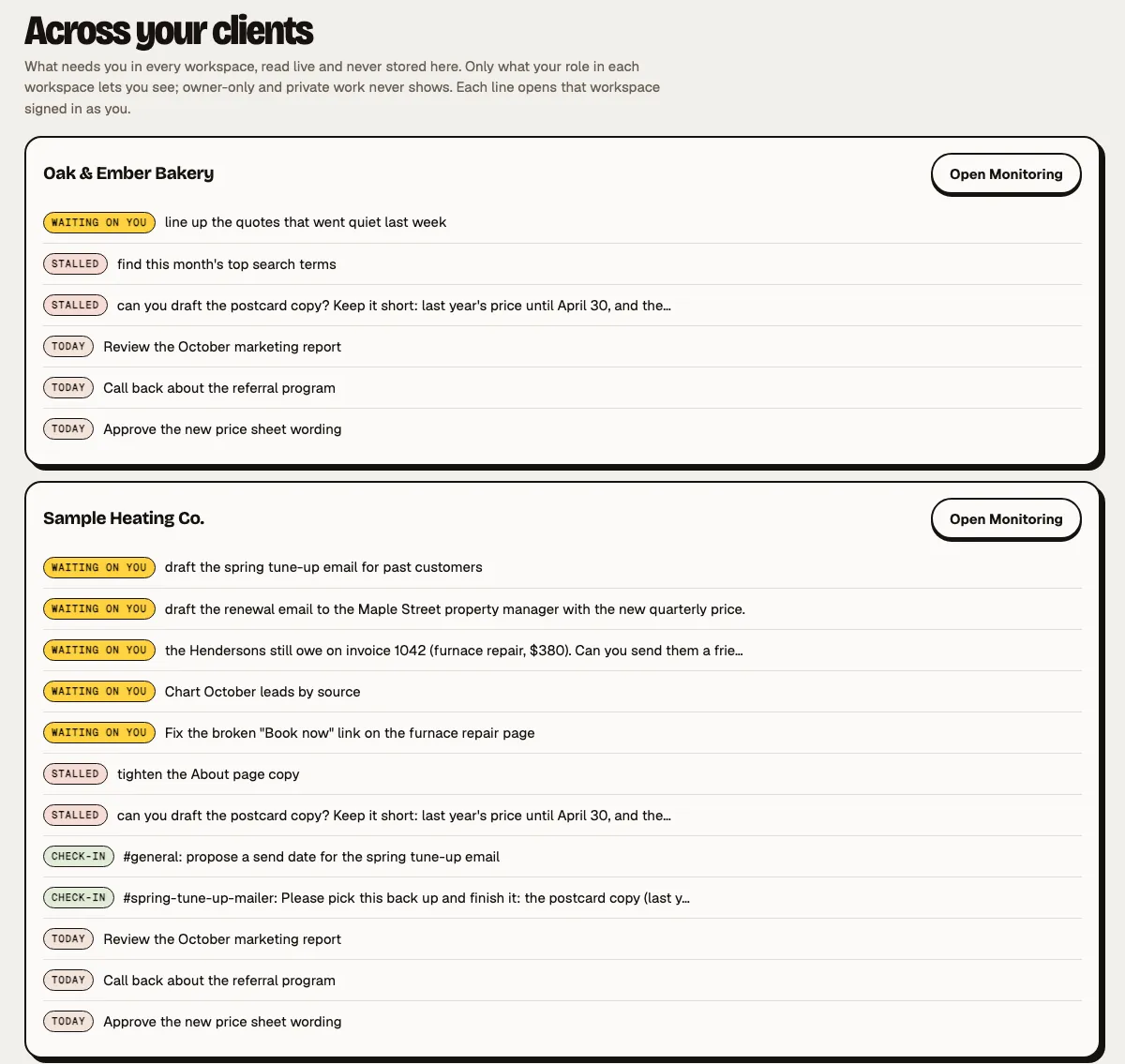
What needs you, in every workspace.
One list of what's waiting on you, what's stalled, the check-ins you can answer and today's tasks, client by client. Each line opens that workspace right on that item.
- Read live, never stored. Minion HQ keeps counts, not your clients' work.
- Only what your role lets you see. Owner-only and private work never shows.
- Back to Minion HQ from every page of a client's workspace.
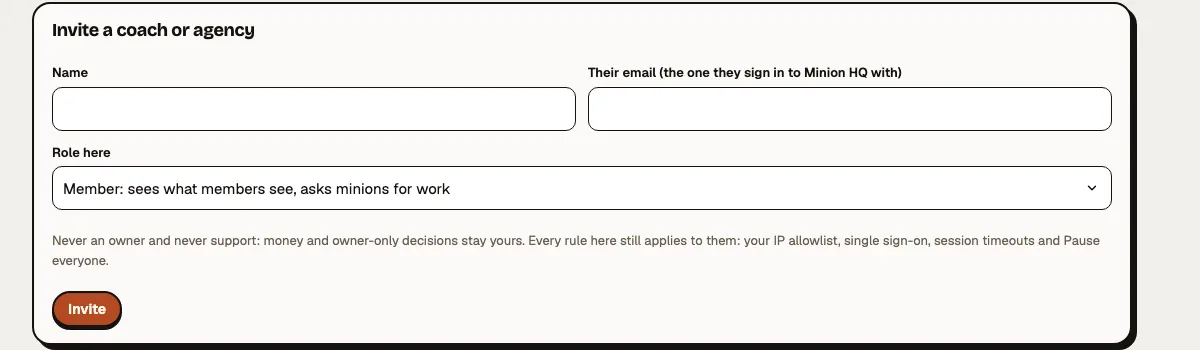
The owner invites you. The owner can end it.
The owner invites you
From People › Coach or agency access, by email, as a coach (prepares, never decides) by default; member or admin only if the owner chooses; never an owner. Money and owner-only decisions stay with the owner.
You accept in Minion HQ
Signed in with the email you were invited with. The owner is told when you link.
Coaches prepare, never decide
Your coach prepares the plan, the Memories, the missions and the first drafts, and decides nothing unless you say so. Only the owner can raise a coach to admin, after a clear warning.
Every rule still applies
The business's sign-in rules, session limits and Pause everyone apply to you like anyone else.
Revoke, at once
The link stops working and your sessions end. Every invite, hand-off and revoke is in the activity log.
Build a skill once. Every client gets it.
- Team skills
One tap for every client
Build a great skill once, and every client gets it with one tap. Drop in a skill or a pack: it's checked for tests, licence, hidden instructions and personal or client details before any Publish button appears, then goes to all your clients or just the ones you pick, as an update they switch on. Pull a version with a reason and it switches off everywhere.
- Requests
“Build me a skill” lands here
When a client asks their team for a skill, the ask lands in Minion HQ with the job, an example and how often, never their customers' details. Reply, say you're on it, attach a draft as Ready to add (it lands in that client's library only), or say Not this one with a reason.
Built for people who help several businesses.
Coaches
You help owners set up and lead their AI teams. See where each one is stuck before your next session.
Small agencies and studios
You run client work through each client's own team. One list of what's waiting on you, client by client.
Each business keeps its own
Every client has its own workspace and data. Minion HQ opens them; it never merges them.
Hand your first job to a minion.
Tell us about your business, your goals and what you'd hand off first. We'll show you the team that would take the most off your plate.
Or request access to the live demo (sample data).